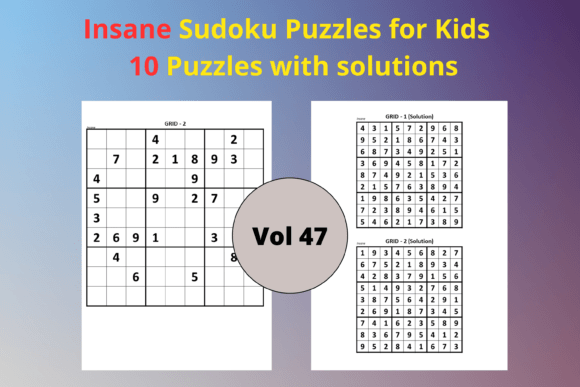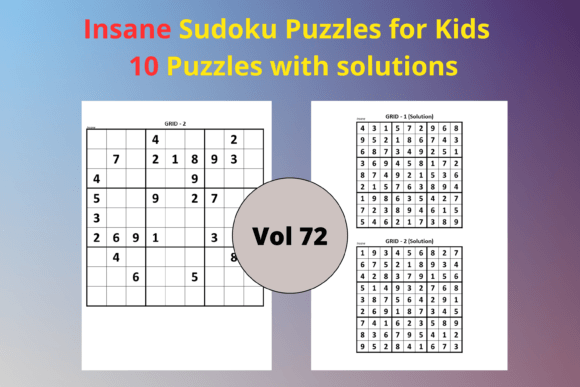
Easy Sudoku for Kids 72: A Complete KDP Interior Resource for Children’s Puzzle Books
Self-publishers, educators, and parents constantly search for clean, print-ready activity pages that don’t require hours of layout work. Easy Sudoku for Kids 72 answers that need with a focused pack: 10 simple 9×9 Sudoku puzzles and 10 matching solutions, delivered as an editable PowerPoint file and an instant-upload PDF. If you are building a children’s activity book on Amazon KDP, running a classroom, or creating a digital printable product, this resource fits directly into your production pipeline without recalculating margins, cleaning up clip art, or guessing at difficulty levels.
What makes this pack genuinely useful is its intentional simplicity. Instead of overwhelming users with hundreds of pages they must sort through, it provides a targeted set of easy puzzles designed for young beginners. The interior is formatted for 8.5 x 11 inches, the standard trim size for many KDP puzzle books, so you can drop it into your manuscript and maintain consistent formatting across the entire book.
What You Actually Get Inside the Pack
Before integrating the resource into a project, it helps to understand exactly what the download contains. There is no filler, no bonus content that clutters your folder structure. The pack includes:
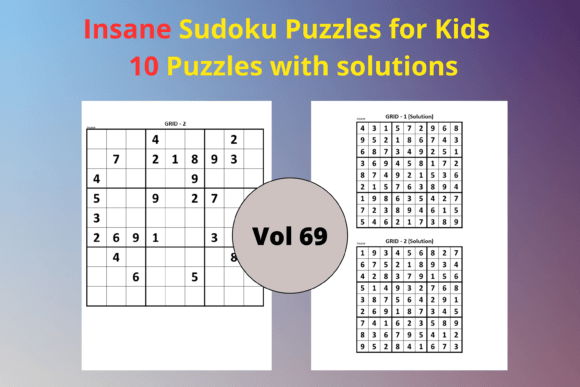
- 10 Sudoku grids (9×9) calibrated to an easy difficulty level, making them accessible for children ages 6 and up.
- 10 solution pages following the same layout, so each puzzle has a clear answer key you can place at the back of the book or on a separate web page.
- A print-ready PDF file that requires no additional editing before uploading to KDP. Fonts are embedded, margins are consistent, and graphics are minimal to maintain a distraction-free solving experience.
- An editable PPTX file that allows full customization. You can change colors, add instructions, include your branding, or translate the text into another language without starting from scratch.
The combination of PDF and PPTX means you can treat the resource as a final asset or a starting point. Many publishers use the PDF for quick launches and the PowerPoint version for building a series with a cohesive look over time.
Where Easy Sudoku for Kids 72 Fits in Your Content Creation Process
If you produce educational printables, activity workbooks, or low-content books, you already know the stages: concept planning, content sourcing, design, formatting, proofing, and upload. Easy Sudoku for Kids 72 slots into the content sourcing and formatting stages seamlessly. Instead of designing puzzles from scratch or testing difficulty manually, you import a validated set of grids that maintain a consistent challenge progression.
For KDP authors, this resource functions as a pre-built interior chapter. You can insert the 10 puzzles as a standalone section in a larger book, combine them with other puzzle types, or use them as a free lead magnet to build an email list. The editable PPTX file lets you adjust page numbers, headers, and footers to match your book’s overall design without breaking the puzzle alignment.
Teachers and homeschoolers can use the PDF to print handouts in seconds. Because the solutions are included on separate pages, you can choose to print them or keep them digital. The consistent 9×9 grid size also means you can laminate the sheets and reuse them in a classroom center, reducing prep time each week.
Before Launch: Planning and Preparation
Start by reviewing your product roadmap. If you are creating a Sudoku book for kids, decide where this 10-puzzle set fits. You might use it as the first chapter, a bonus section, or a sampler for a multi-volume series. Open the PPTX file and add a title page, a simple how-to-play guide, and a completion certificate. Save a master file that you can reuse for future volumes. This approach keeps your brand consistent and reduces design time for subsequent books.
During Production: Integration and Organization
When building your manuscript in software like PowerPoint, Canva, or InDesign, place the PDF pages into your layout program as high-resolution images or use the PPTX file directly for text edits. Pay attention to margin alignment: the pack’s 8.5 x 11 inch size works with standard KDP settings, but you may need to adjust bleed depending on your book’s page count. If your book includes answer keys at the back, duplicate the solution slides in your master document and update the linking accordingly.
For digital products, export individual puzzle pages as PNGs to sell on platforms like Etsy or Teachers Pay Teachers. Because the puzzles are original and not scraped from public domain sources, you avoid copyright complications. The editable format also lets you add a “Created with Easy Sudoku for Kids 72” credit line if your commercial license requires it, though typically such interiors come with full commercial use rights.
After Publication: Quality Control and Updates
Once your book is live, monitor customer feedback. If parents note that a puzzle is too hard or too easy, you can tweak individual grids in the PPTX file without re-exporting the entire manuscript. This flexibility is critical for maintaining positive reviews and adjusting difficulty over time. You can also reuse the same 10 puzzles in multiple products — a print book, a Kindle Scribe template, a printable membership site — each time making small layout changes to suit the medium.
Editing and Compatibility Tips for Smooth Workflows
The PPTX file is compatible with PowerPoint, Google Slides, and Keynote, so you are not locked into a single software ecosystem. When you open it in Google Slides, you can duplicate the file, make changes, and download as a new PDF directly, which streamlines collaboration if you work with a virtual assistant or co-author.
Here are a few practical editing steps to keep your workflow efficient:
- Maintain grid proportions. Avoid stretching puzzle cells, as that makes numbers hard to read for kids.
- Use a simple font. Kids benefit from clear, sans-serif numerals. The default font in the PPTX is likely already appropriate; test at actual print size before finalizing.
- Add a subtle border or frame. This helps the puzzle pop on a white page and gives the book a more finished look.
- Batch convert. If you need to generate multiple volumes quickly, create a template with your brand elements, then insert different puzzle sets from multiple Easy Sudoku packs. Keep your file naming consistent: Book1_Puzzles, Book2_Puzzles, etc.
How This Resource Interacts with Other Tools and Platforms
When you work across platforms, integration matters. Easy Sudoku for Kids 72 plays well with common tools in a publisher’s stack:
- Canva: Upload the PDF as pages, then drag and drop to reorder or add text overlays. This is great for creating social media previews or lead magnet PDFs with your branding.
- KDP Cover Calculator: Use the known interior page count (20 pages if you include all puzzles and solutions) to calculate spine width before finalizing your cover design.
- Adobe Acrobat: Compress the PDF for easier file transfer or combine it with other puzzle books you have created.
- Book Bolt or Publisher Rocket: Research keywords like “easy sudoku for kids,” “beginner sudoku book,” or “first sudoku workbook” to ensure your product listing aligns with search intent. The pack’s content supports those keywords naturally.
For educators using learning management systems, the PDF can be uploaded directly to Seesaw, Google Classroom, or printed copies sent home. The editable PowerPoint means you can adapt instructions for different age groups or ESL students without recreating the wheel.
Ensuring Quality and Avoiding Common Pitfalls
Even with a ready-made interior, a few quality checks protect your reputation. Always print a test copy of the PDF at home before ordering author proofs. Check that puzzle cells are sharp and that numbers are neither too faint nor bleeding into each other. If you edited the PPTX, verify that the solution pages still match the puzzles exactly. A common mistake is accidentally shifting a cell border, which can make a puzzle unsolvable.
Consistency across a book series matters for return buyers. If you plan to release multiple volumes, establish a style guide early: font sizes, margin sizes, header styles, and the placement of “Puzzle 1 of 10” labels. With the editable PPTX, you can lock those elements in a master slide to ensure every puzzle in every volume follows the same rules. This reduces cognitive load for young solvers and makes your brand look more professional.
Long-Term Value and Scalability
This pack is not a one-time-use asset. Because it’s digital, you can reprint it indefinitely for physical classrooms or reuse it across multiple KDP titles. Some publishers combine it with other easy Sudoku packs to create a 100-page book, while others use it as a low-cost entry product to test a new niche. The modular nature of the files means you can scale up or down without waste.
For entrepreneurs building a product suite, think in terms of complementary offerings. Pair the puzzle book with a “Sudoku for Kids” video course, a printable progress tracker, or a set of sticker rewards. The editable PPTX lets you insert QR codes or website links seamlessly. Over time, as you gather more puzzle assets, you create a library of recyclable content that supports multiple income streams.
The real advantage of a resource like Easy Sudoku for Kids 72 is that it removes a repetitive, technical chore from your schedule so you can focus on marketing, customer engagement, or creating the next title. Instead of worrying about puzzle accuracy or grid alignment, you execute your plan with confidence, knowing the core content is already solid.
Whether you publish one children’s activity book a year or ten, integrating this interior into your workflow cuts hours of design time and reduces the friction between idea and launch. It’s a small, specific asset that directly serves the practical needs of anyone building kid-friendly logic puzzle products.